
Thank you for reading and reviewing for me!
Here are some super quick instructions to help you post your review on Apple Books. (Note that some versions of the app might vary slightly from the screenshots I’ve shared below from my iPhone. Hopefully any differences won’t be too large!)
Step 1: Open the Apple Books app. Find Sweet Troublemaker in the Apple Books store. (There should also be the option to leave a review when you are on the last page of the book.)
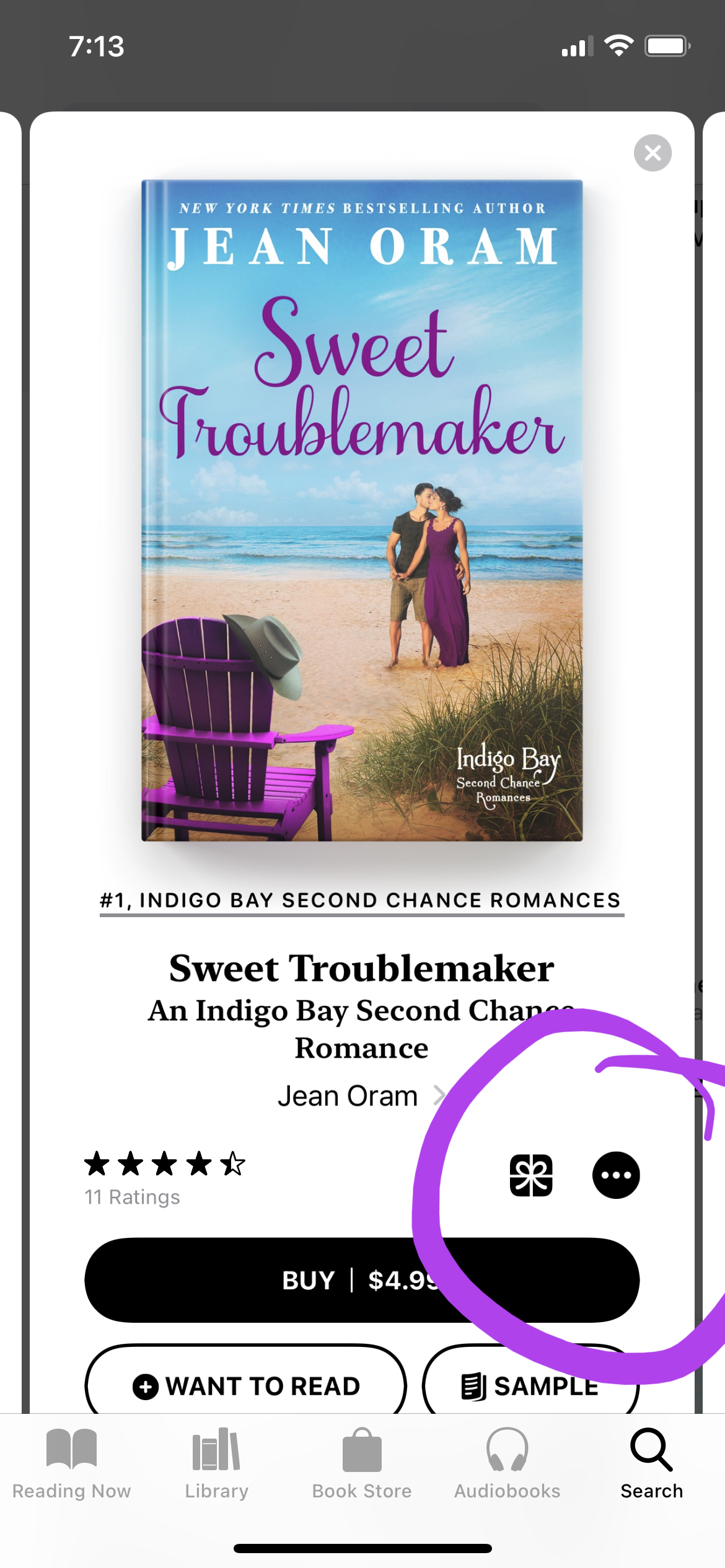
Step 2: From the store, tap on the book. Look for the “…” and click on it. See screenshot below:
Step 3: A menu will pop up. Choose “Rate and Review” from the list:

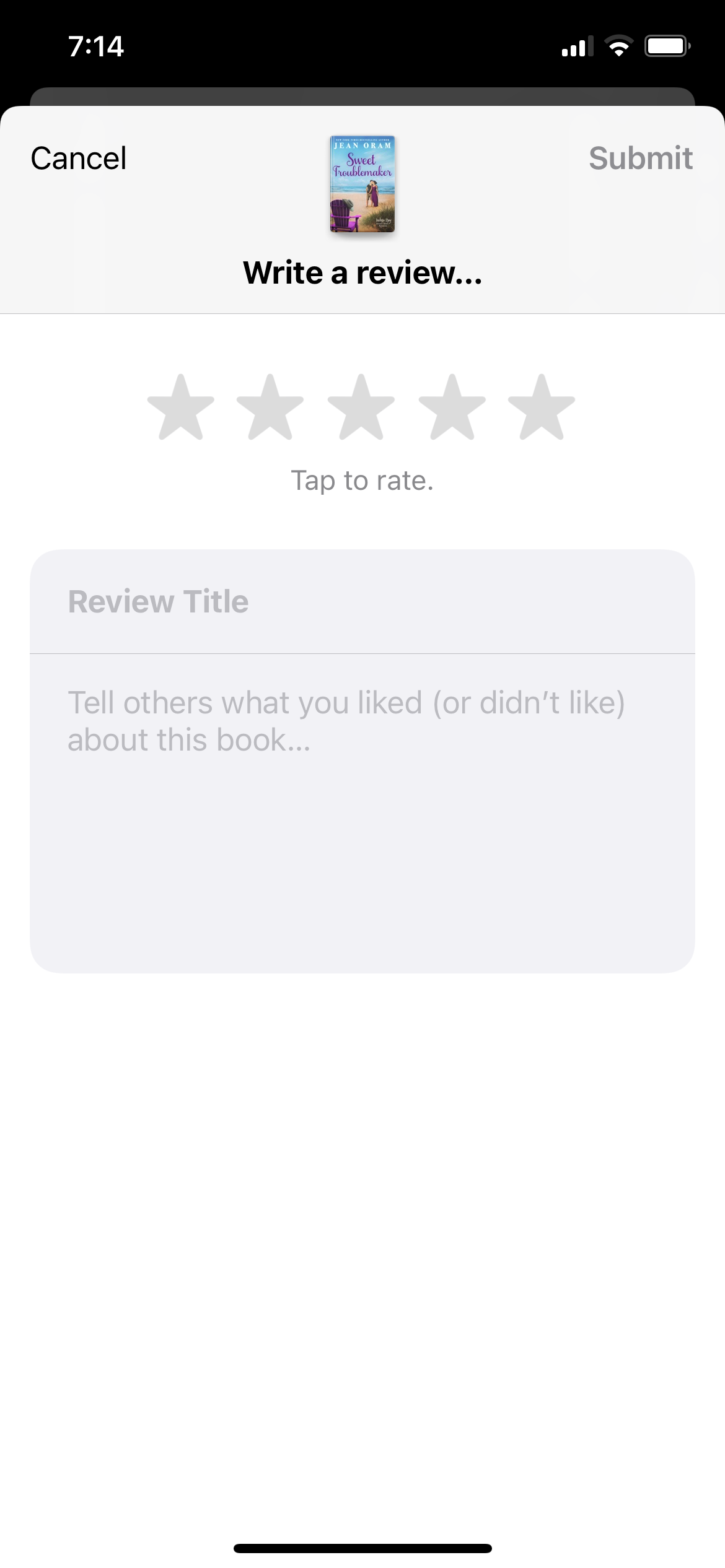
Step 4: This will open the screen where you can type your review. Write your review in the box, choose your star rating and hit “Submit” to post your review when you are done:
Voila! You’ve posted your review. Thank you!
Note: Some readers have mentioned that they are prompted to make a nickname for themselves before their review will post.
If you need technical help, please reach out to Apple Books support.